Web Crawler for Static Web Page
What to Do
Quick-start demo: Your first crawler.
For this example, we'll create a web crawler to scrape articles from PTT's Movie board. Here are the key steps:
-
Prepare Headers and Cookies
headers = {"User-Agent": "Mozilla/5.0 (Macintosh; Intel Mac OS X 10_15_7) AppleWebKit/537.36 (KHTML, like Gecko) Chrome/156.0.0.0 Safari/537.36"} -
Use BeautifulSoup to Parse HTML Content
- Article titles
- Authors
- Dates
- Links
-
Crawl Multiple Page and Save Data

Implementation
Install requests and BeatifulSoup
To install the required libraries, follow these steps:
- Open your terminal or command prompt
- Run the following command to install requests:
pip install requests bs4
- Verify the installation:
python -c "import requests; print(requests.__version__)"
The requests library will be used to send HTTP requests and handle responses from web servers.
Usage of requests and BeautifulSoup
The main libraries used are:
-
requests: Handles HTTP requests and responses- Sends GET/POST requests
- Manages headers and cookies
- Handles response status codes
-
BeautifulSoup: Parses HTML content- Extracts data using selectors
- Navigates HTML structure
- Cleans and formats text
Basic Usage
- requests functions
requests.get(url, headers=None, cookies=None)- Sends a GET request to the specified URL
requests.post(url, data=None, json=None)- Sends a POST request with form data or JSON
- Sample code: Requests basics
- BeautifulSoup functions
BeautifulSoup(html, "html.parser")- Creates a BeautifulSoup object to parse HTML
- → Use it to process the HTML content returned from requests.get()
soup.select(css_selector)- Finds all elements matching a CSS selector
- → Returns a list of tag (even if it has one result)
soup.find_all(tag, attrs={})- Finds all elements matching the tag and attributes
- → Returns a list of tag (even if it has one result)
- Sample code: BeautifulSoup basics
Crawl Article titles and Other Information
from bs4 import BeautifulSoup
import requests

url = "https://www.ptt.cc/bbs/movie/index.html"
res = requests.get(url, headers=headers)
soup = BeautifulSoup(res.text, "html.parser")

articles = soup.select("div.r-ent")

for article in articles:
    title_tag = article.select_one("div.title a")
    author = article.select_one("div.meta div.author")
    date = article.select_one("div.meta div.date")

    if title_tag:
        print("Title:", title_tag.text)
        print("Link:", "https://www.ptt.cc" + title_tag["href"])
        print("Author:", author.text if author else "N/A")
        print("Date:", date.text if date else "N/A")
        print("-" * 40)
Crawl Multiple Page and Save Data
- Find link
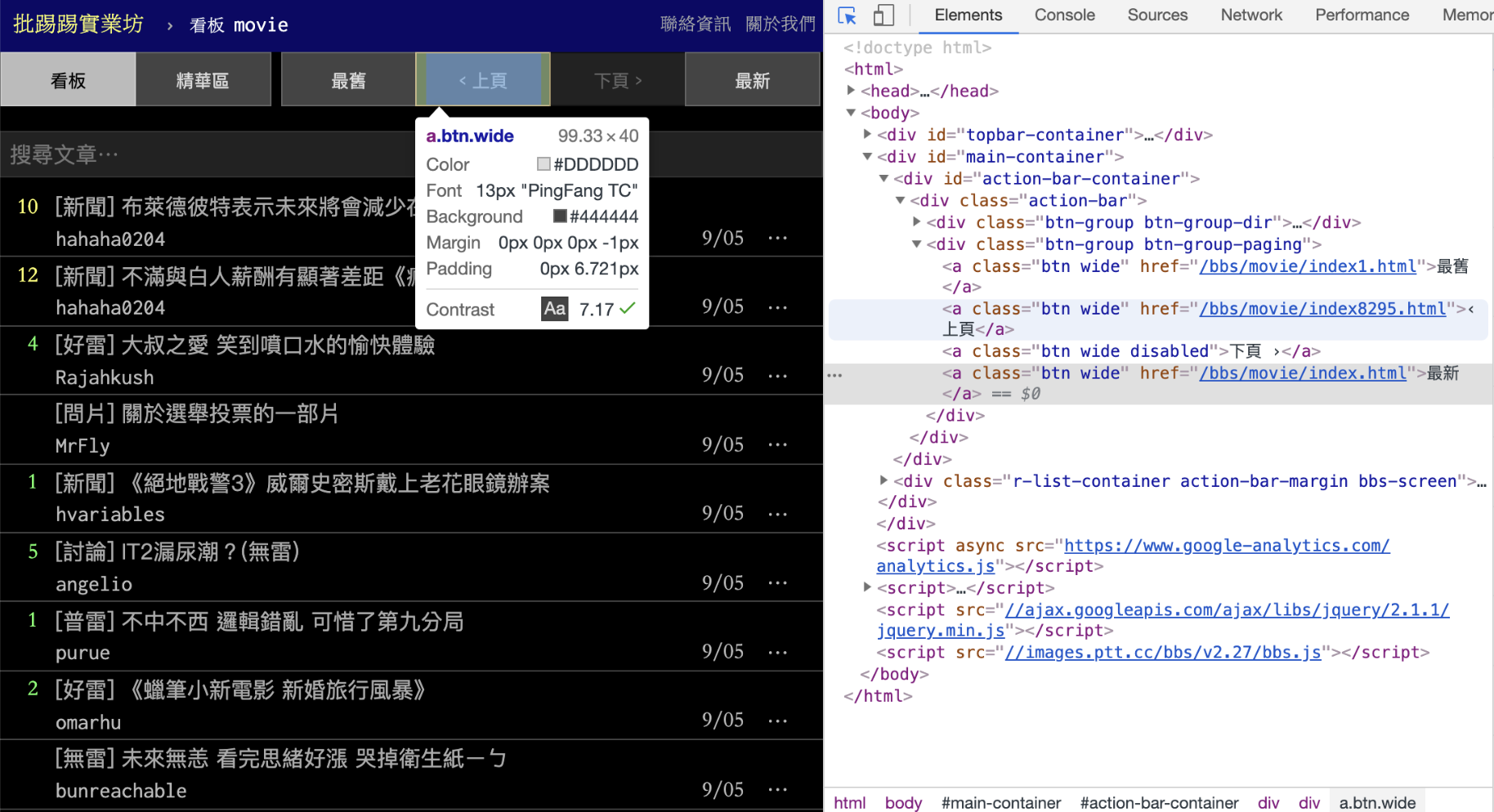
- Find URL pattern

- Sample code: Crawl article titles and links of multiple pages.